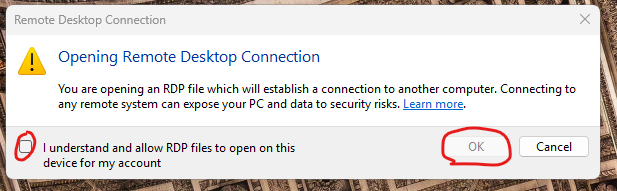
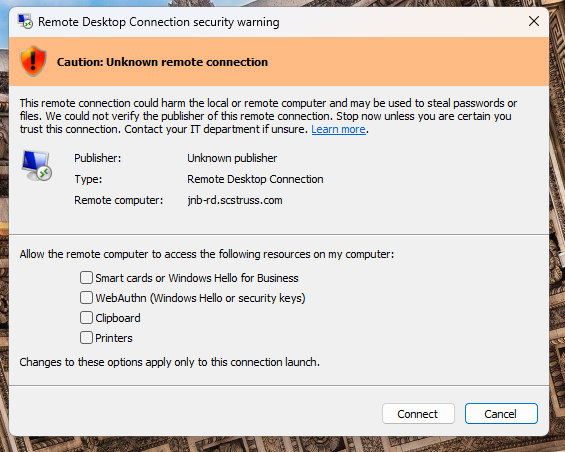
The April Windows updates will introduce two new popups when connecting to a remote computer using the built-in RDP application.
When the first pop-up appears, you can simply check the "I understand and allow RDP files to open on this device for my account" checkbox. You should only need to complete this once, on your first RDP connection.
On the second pop-up it would be best to verify the "Remote computer:" ends in scstruss.com or epicoranywhere.com. Then you will most likely want to check the bottom 2 checkboxes and then click "Connect". The connection will then proceed as normal.
Was this article helpful?
That’s Great!
Thank you for your feedback
Sorry! We couldn't be helpful
Thank you for your feedback
Feedback sent
We appreciate your effort and will try to fix the article