- Make sure you are connected to the SCS network either by plugging your PC into a wall port in an SCS office, connecting to SCS Wi-Fi that allows access to the T: drive, or connecting to the VPN. If your password has expired, and you are unable to connect to the VPN, please refer to these instructions: https://scshelpdesk.freshdesk.com/a/solutions/articles/151000225645
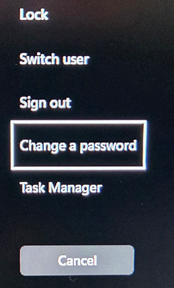
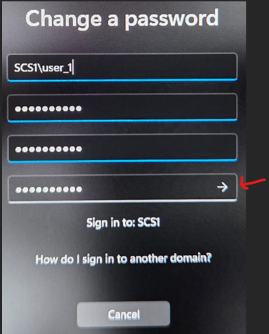
- Start by hitting ctrl-alt-del on your PC and click “change a password.” Enter your old password and the new password, then confirm it. When done, hit enter or click the arrow in the second new password box.
- **Please note that this password is also used for your email account and VPN login. If you have your SCS email on your phone, you’ll eventually get prompted to enter the new password to continue accessing email on it.
Was this article helpful?
That’s Great!
Thank you for your feedback
Sorry! We couldn't be helpful
Thank you for your feedback
Feedback sent
We appreciate your effort and will try to fix the article