- Open file explorer
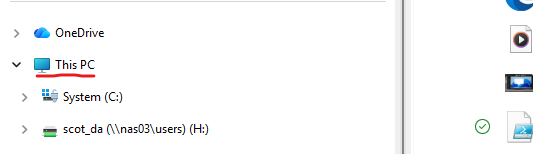
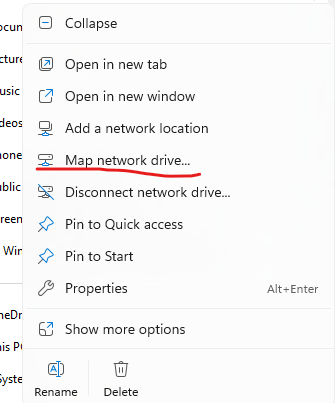
- Find “this PC” on the left side and right click it, select “Map network drive"
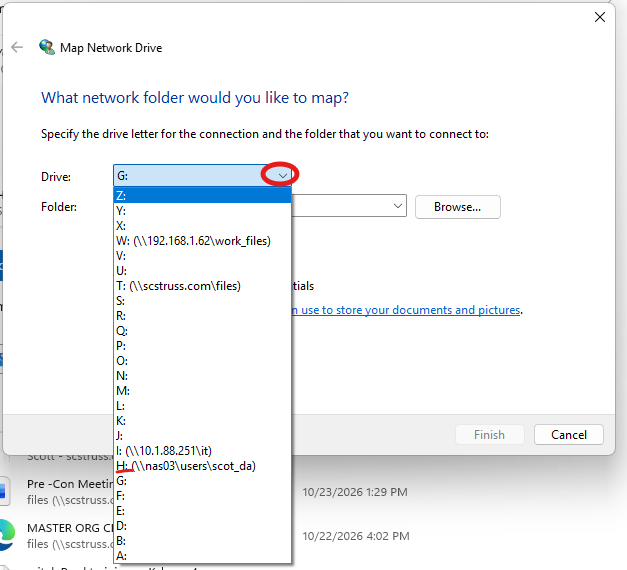
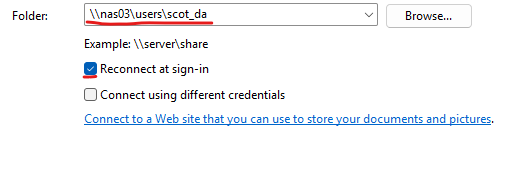
- Select the H drive and then for the folder type in \\nas03\users followed by your username. So for example, mine is \\nas03\users\scot_da Check the box to reconnect at sign in and then hit finish.
Was this article helpful?
That’s Great!
Thank you for your feedback
Sorry! We couldn't be helpful
Thank you for your feedback
Feedback sent
We appreciate your effort and will try to fix the article